
Product · Lead Management
Never lose a lead again.
Every call, web form, and ad lead lands in one place, enriched and scored, then routed to the right person before it goes cold. No more leads lost in a phone, an inbox, or a sticky note on the truck dash.
Click a lead to see its detail, then hit Auto-call.
How it works
Three steps, then it just runs.
Capture
Every source pipes into one inbox, calls, forms, chat, Google, and paid ads.
Score & route
Each lead is enriched, scored against your ICP, and routed by your rules.
Follow up
Autocall fires and nurture sequences keep going until the lead books or goes cold.
What you get
Everything in lead management.
One inbox for every channel
Phone, web form, chat, Google, and ad platforms all feed a single lead inbox with one source of truth.
Auto-enrichment
Name, address, and service history filled in the moment a lead lands.
Lead scoring
Rank leads by fit and intent so your team works the ones most likely to book.
Smart routing
Round-robin, territory, or skill-based, no lead sits unassigned.
Follow-up that runs itself
Sequences that adapt to whether the lead answered, replied, or went quiet.
Inside the app
Never lose a lead again.
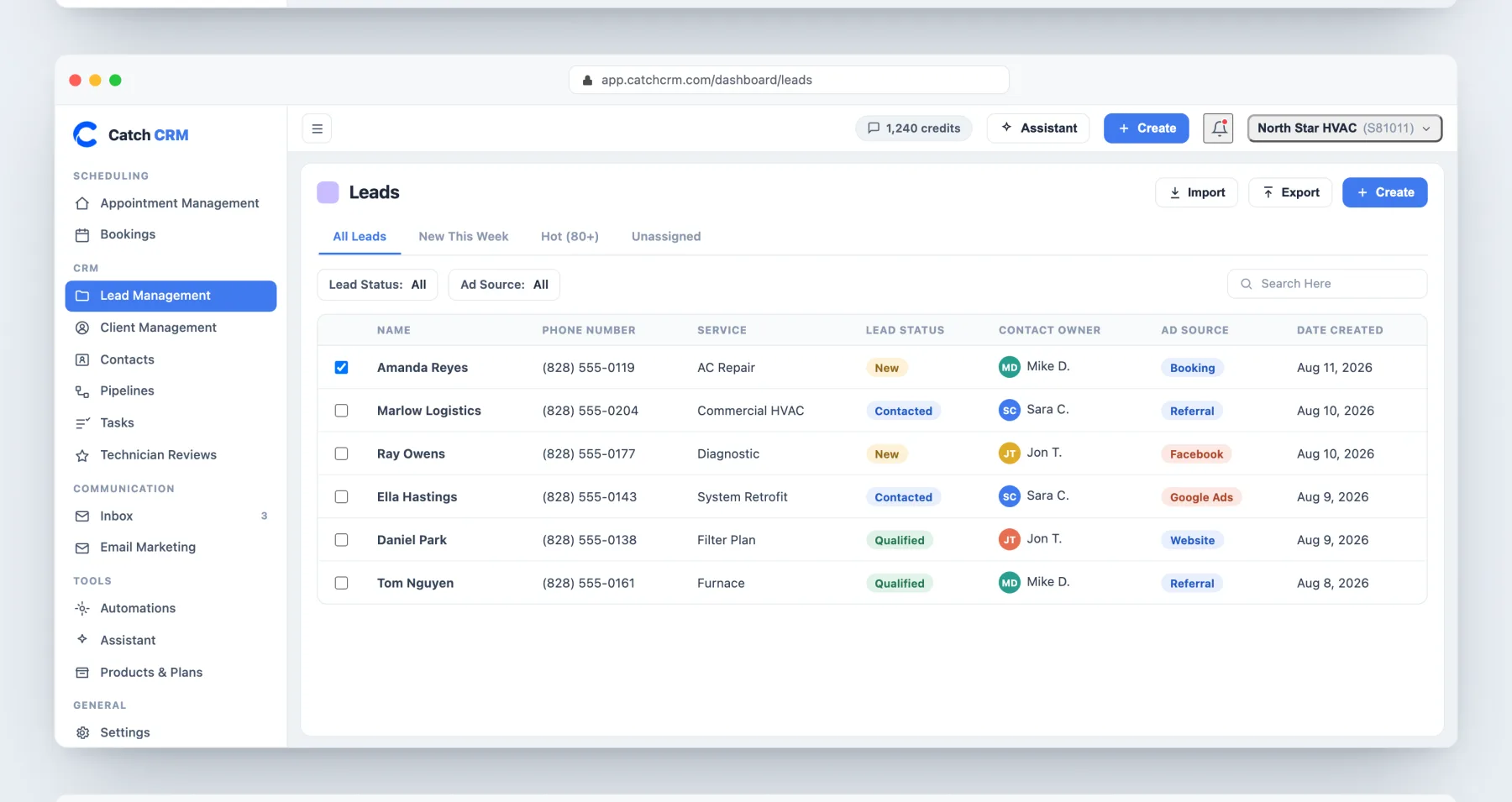
Every lead in one list, with the status, the owner, and the source that produced it.
More in product
See lead management on your jobs.
Lead Management: common questions
How fast does Catch CRM contact a new lead?
With the autocall dialer, a new lead is dialed and bridged to an agent in under 30 seconds, before they call the next name on the list.
Where do my leads come from?
One inbox pulls in calls, web forms, chat, Google, and ad platforms, so every lead lands in a single place, enriched and scored.
Do leads get assigned automatically?
Yes. Round-robin, territory, or skill-based routing assigns every lead, so none sit unclaimed.
Is lead management in the free plan?
Yes. It is in every plan, including Free (300 contacts, 3 users). Paid plans start at $30 a month.